The LEKKER KOREA rooster counting stock in a warehouse
In Use Every Day

LEKO Inventory

Off-the-shelf stock software is written for warehouses. A kitchen is not a warehouse. Nobody weighs out gochujang by the pallet, and no warehouse has a recipe that contains another recipe.

So we built our own. It runs the Rivonia kitchen every day — and it was built from the start to run somebody else’s just as well.

4Levels of access
5Ways to measure
0Apps to install

What it does

Stock that counts itself

  • Enter the day’s sales and every ingredient comes off its recipe on its own.
  • Dine-in and takeaway are counted apart, so containers only leave stock on takeaway orders.
  • Entered it wrong? One undo puts every gram back where it was.
Recipes inside recipes

  • Write a sauce or a prep item once, then drop it into every dish that uses it.
  • A recipe written for forty portions takes off a fortieth when one portion sells.
  • Measure in grams, pieces or spoons — each ingredient carries its own conversion.

Alerts that don’t cry wolf

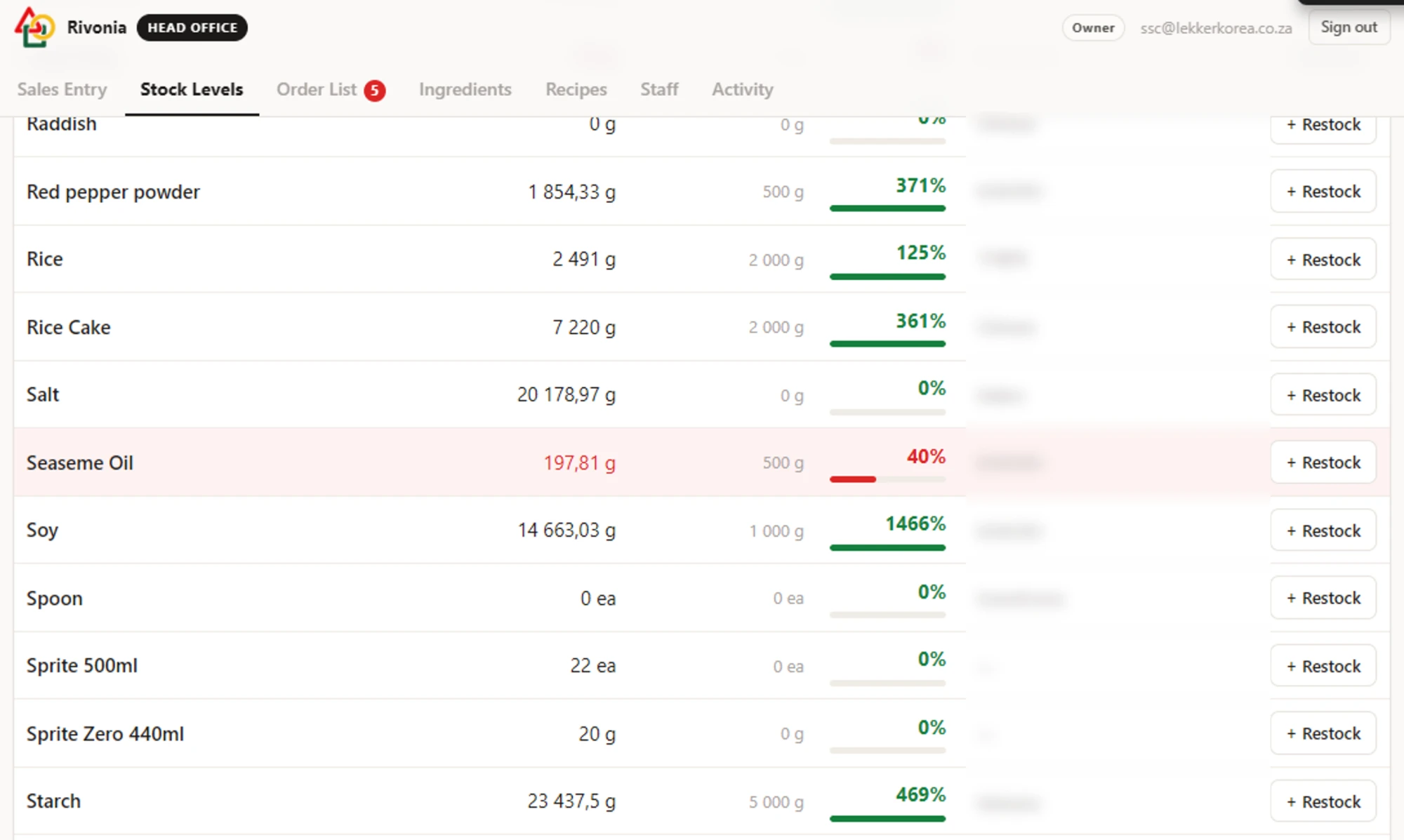
  • Set the level you want to keep and the line turns red at half of it.
  • It stays red until you refill to that level, so nothing flickers on the borderline.
  • If more went out than ever came in, the count goes below zero and says so in red.
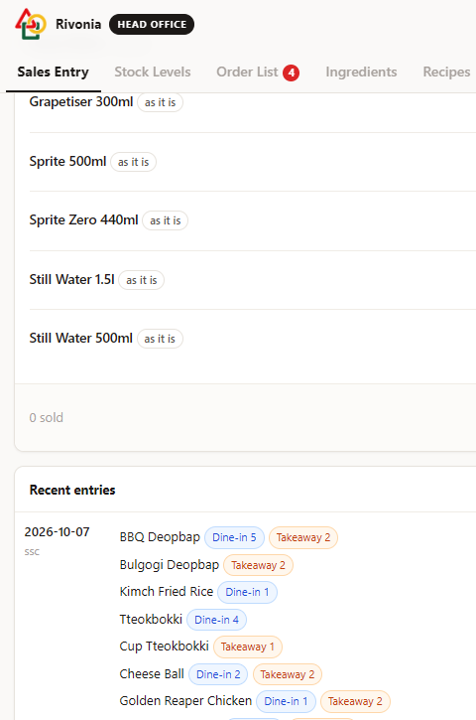
The sales entry screen, with dine-in and takeaway counted apart
Sales entry — the day’s plates go in here, and the ingredients come off their recipes on their own.
The stock levels screen, every ingredient against the level you keep
What is left, against the level you want to keep. Anything that falls under half of it turns red and stays red until it is refilled.

An order list that writes itself

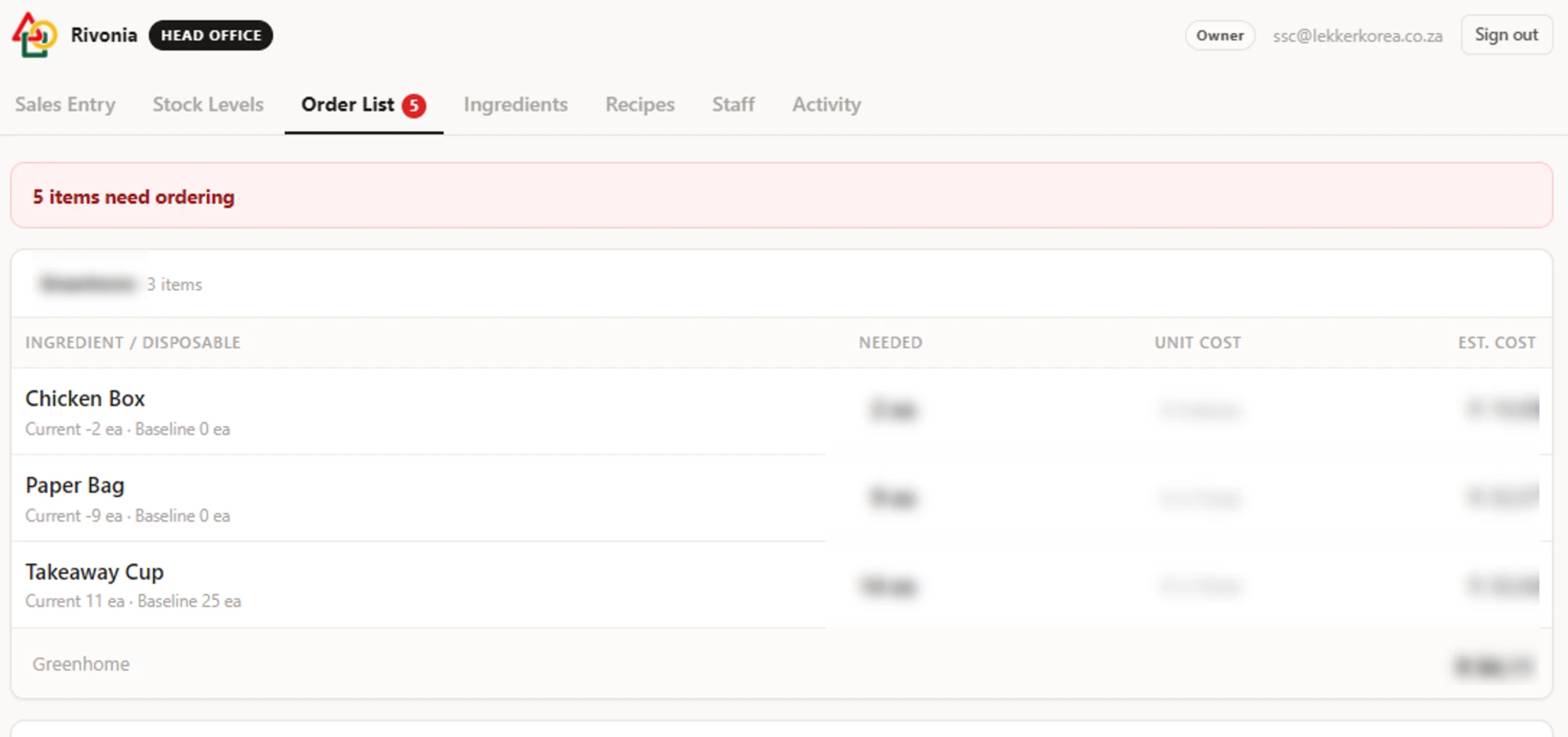
  • Everything running low, gathered onto one page.
  • How much to buy to get back to your level, already worked out.
  • Grouped by supplier, with what the shopping run should cost.

Cost and margin in the same place

  • Every line of a recipe carries its own cost.
  • Add a selling price and the cost per portion and the cost ratio appear beside it.
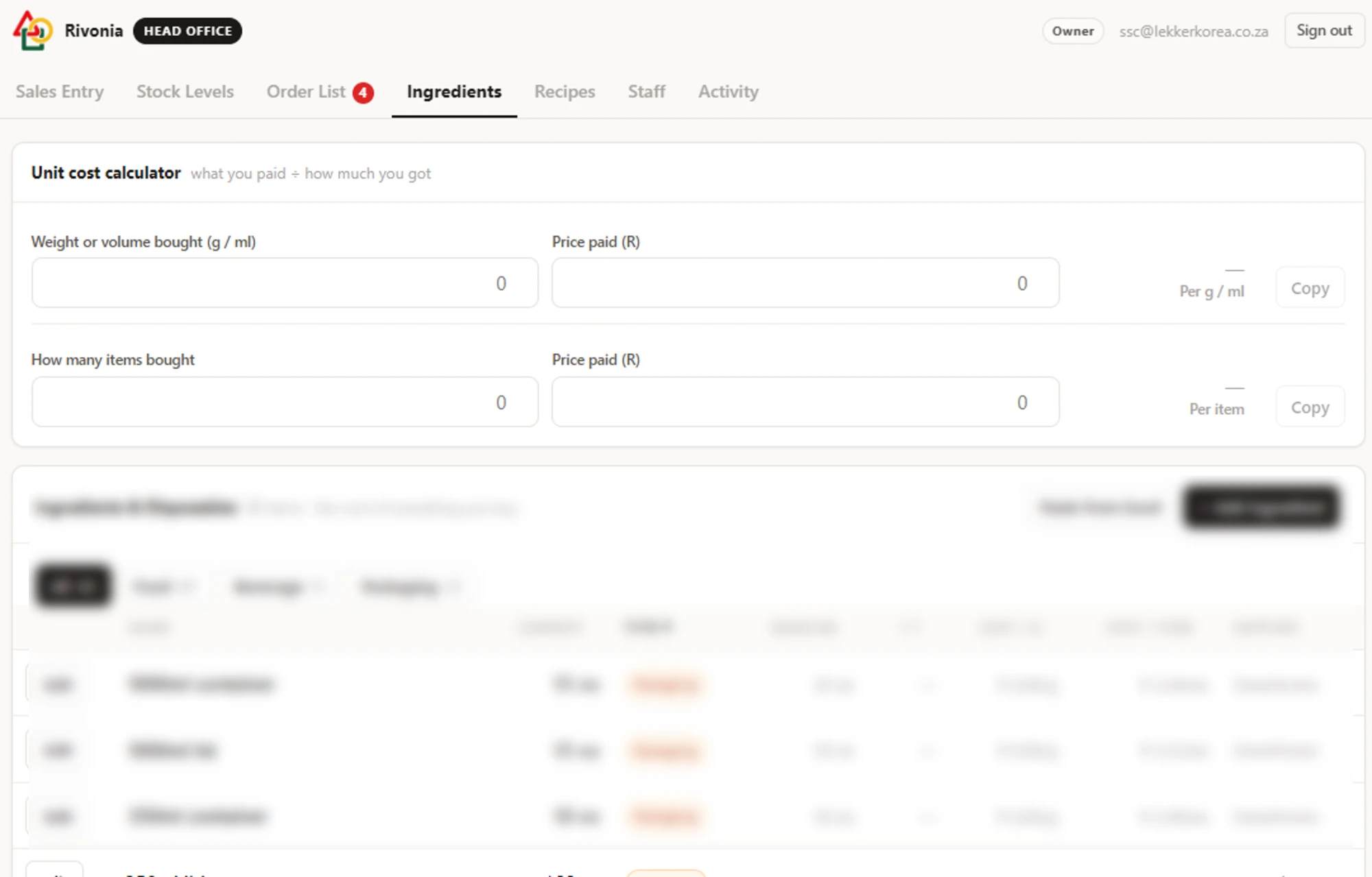
  • A built-in calculator turns what you paid and what you got into a unit cost.
The order list, grouped by supplier with quantities and costs
The shopping run, written for you: what fell below its level, how much to buy, from which supplier and what it should cost.
The ingredients screen with the unit cost calculator
What you paid ÷ how much you got. The calculator turns a till slip into a cost per gram, and every recipe picks it up from there.

Access the database enforces

  • Four levels: owner, branch manager, shift manager, staff.
  • Costs and suppliers are not greyed out for staff — they are never sent to the browser at all.
  • Make accounts inside the app and set the branch and the level yourself.

A record nobody can tidy up

  • Every move of stock, money or access is written down as it happens.
  • The time comes from the server, so nothing can be backdated.
  • Not even the owner can edit or delete an entry from inside the app.

One shop, or ten

  • Each branch keeps its own stock, completely separate from the others.
  • A head-office account moves between branches from the same screen.
  • Nothing to install — a browser is all it needs, on the counter or on a phone.

Set up in an afternoon

Paste your existing spreadsheet straight in; the columns are matched by their headings, in whatever order they happen to be. Split the sales screen into your own sections — mains, chicken, sides, drinks — and drag each item where it belongs. Bought-in goods like bottled drinks are sold straight off the shelf, no recipe needed. Nothing in it assumes Korean food, or our menu, or our suppliers.